

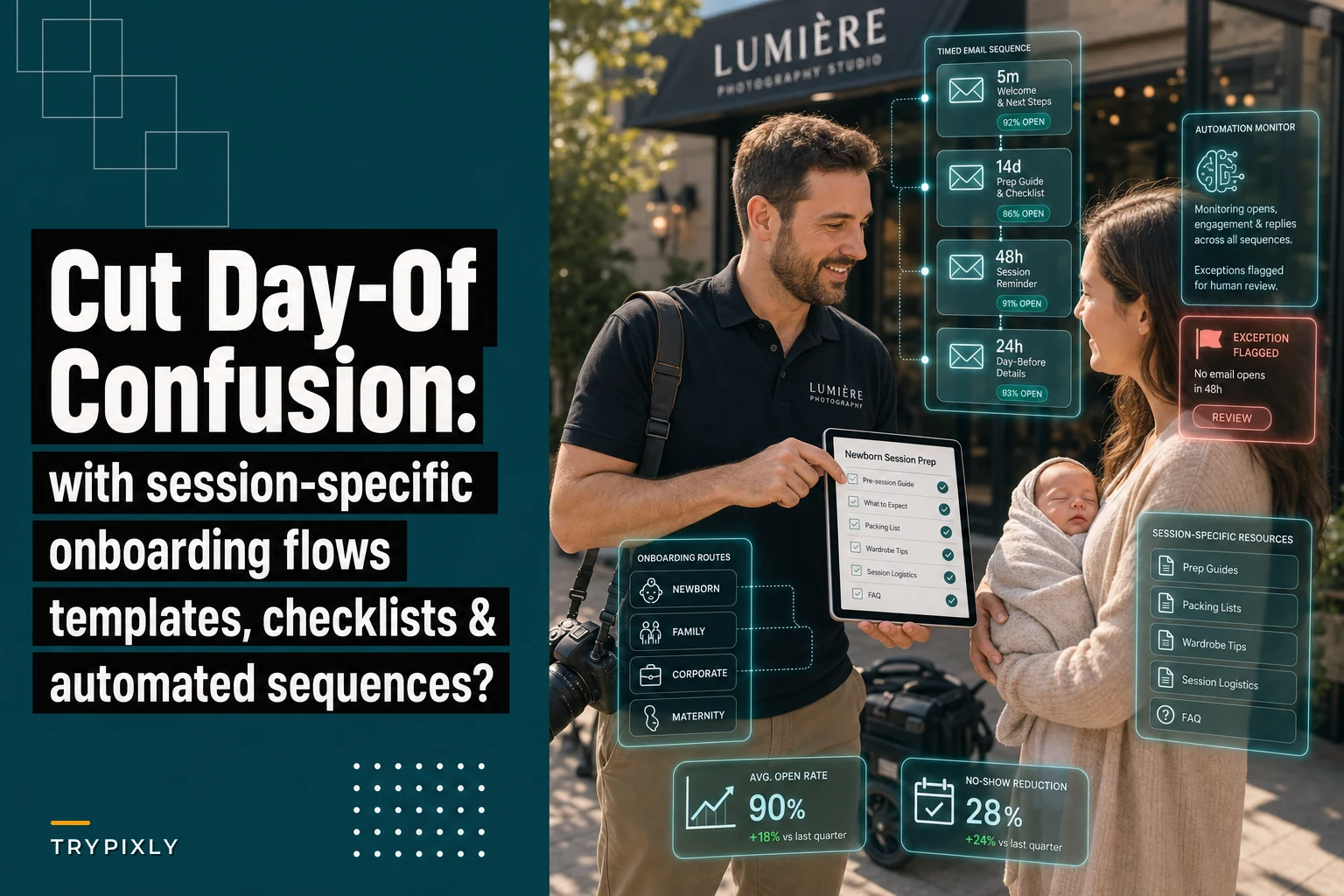

Photography studios lose a surprising chunk of their session time—sometimes around 10-15%—to confusion that should've been sorted out weeks earlier. Parents arrive without the right outfits for newborn sessions. Corporate clients show up expecting individual headshots when you've scheduled a group session. Family portrait clients are texting frantically the morning-of asking if they need to bring their own props.
The operational mess of one-size-fits-all onboarding
Most studios send the same welcome email, prep guide, and reminder sequence whether someone books a $450 newborn session or a $3,800 corporate headshot package. The logic seems fine—standardization reduces work, right? But what ends up happening is you create information overload for simple sessions while under-preparing complex ones.
A maternity client doesn't need your 14-page guide about managing toddler meltdowns during family sessions. A corporate client booking 45 headshots doesn't care about your newborn safety certifications. Yet studios keep sending everyone everything, hoping clients will filter out what applies to them.
The damage shows up in your actual operations. When clients arrive confused or unprepared, you're not just losing shooting time—you're breaking the emotional momentum of the session, dealing with stressed parents who feel blindsided, and often accepting subpar results because there's no time to fix what went wrong.
Mapping confusion points to specific session types
Newborn sessions: Parents arrive without backup outfits despite spit-up being inevitable. They bring siblings unannounced. They haven't fed the baby on your recommended schedule. They panic when you mention specific poses they weren't expecting. Family portraits: Nobody coordinated outfits. Kids haven't napped. Parents expect individual portraits of each child when you've only scheduled time for group shots. Someone brings the dog without asking. Corporate headshots: Employees show up in wrinkled shirts. Nobody knows if it's individual or group shots. The contact person never passed along your clothing guidelines. People expect immediate delivery when you've quoted 2-3 weeks. Maternity sessions: Partners show up in clashing outfits. Clients haven't thought about outfit changes. They're surprised by location limitations. They assume newborn booking priority without ever discussing it.
Never miss a shoot or client detail again.
TryPixly helps you book, confirm, and manage every photography session seamlessly.
- Unified session and client management
- Automated client reminders
- Team calendar & resource scheduling
No credit card required
Each one of those confusion points represents something specific that should've been addressed in that session type's onboarding—not buried somewhere in paragraph 47 of a universal prep guide.
Building segmented flows that actually prevent problems
The most effective approach segments onboarding into distinct tracks from the moment someone books. This isn't about creating more work—it's about delivering the right information at the right time through the right channel.
Initial booking confirmation (sent within 5 minutes)
-
Confirm the session will run 2-3 hours
-
Mention you'll send feeding schedule instructions 1 week before
-
Note that siblings are welcome with advance notice
-
Flag that outfit selection guides are coming
-
Specify whether it's individual or group format
-
Confirm per-person time allocation
-
Note that clothing guidelines come 2 weeks out
-
Set delivery timeline expectations upfront
Deep-dive prep guide (sent 14 days before)
Two weeks out, clients get their session-specific prep guide. Not a PDF attachment they'll never open—an actual email sequence with digestible sections.
Newborn prep sequence (3 emails over 3 days):
Email 1: Home preparation
-
Room temperature requirements (78-80°F)
-
White noise machine setup
-
Feeding schedule for session day
-
What happens if baby won't settle
Email 2: What to bring
-
3-4 outfit options (specific examples)
-
Pacifiers even if not typically used
-
Extra diapers and wipes
-
Special blankets or props
Email 3: Session day logistics
-
Arrival and parking details
-
What you'll handle vs what they handle
-
Typical session flow
-
When to contact you with concerns
Corporate headshot sequence (2 emails over 2 days):
Email 1: Clothing and preparation
-
Specific clothing requirements with visual examples
-
Grooming recommendations
-
What to avoid wearing
-
Lint roller and touch-up reminder
Email 2: Session logistics
-
Check-in process
-
Approximate time per person
-
Image selection timeline
-
Delivery format and timeline
Visualizing the sequence can clarify triggers and timing.
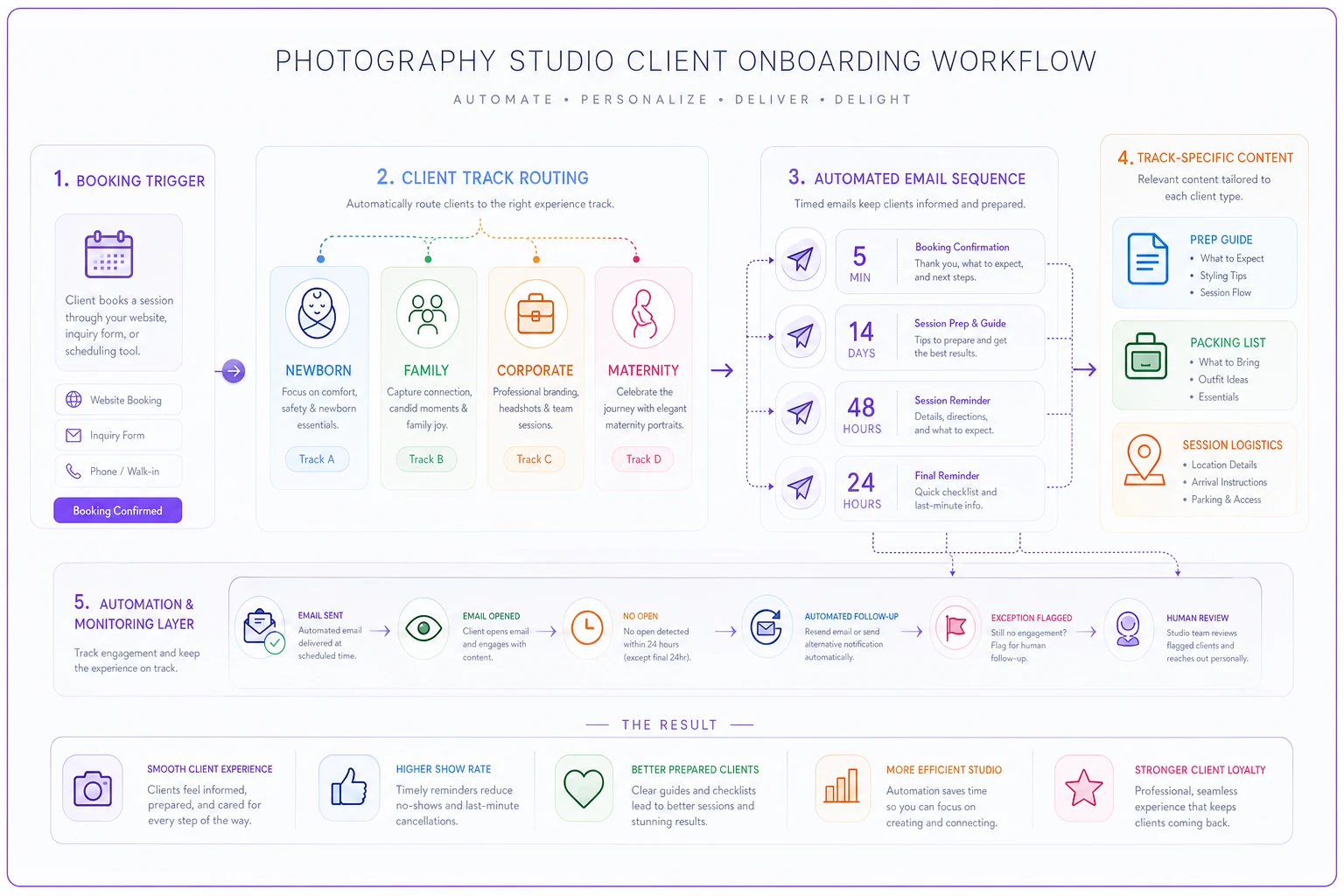
This visual maps triggers, timelines, and message types across tracks.
Final confirmations (48 and 24 hours before)
The 48-hour confirmation handles logistics. The 24-hour message handles last-minute anxiety specific to that session type.
48-hour confirmation includes:
-
Address and parking reminder
-
Contact number for day-of issues
-
Weather contingency if applicable
-
Brief checklist of items to bring
24-hour message targets common last-minute panics:
-
Newborn
"Baby having a fussy day? That's normal—we have techniques"
-
Family
"Kids getting sick? Let's talk about rescheduling"
-
Corporate
"Running behind schedule? Text me to adjust"
-
Maternity
"Feeling uncomfortable about poses? We'll adapt"
The 48-hour confirmation handles logistics. The 24-hour message handles last-minute anxiety specific to that session type.
Real studio metrics: before and after segmentation
A portrait studio in Denver tracked their day-of issues across 340 sessions over 6 months. Here's what changed after implementing segmented onboarding:
| Issue Type | Before Segmentation | After Segmentation | Time Saved |
|---|---|---|---|
| Missing/wrong outfits | 31% of sessions | 8% of sessions | ~15 min per incident |
| Unexpected siblings/pets | 24% of family sessions | 3% of family sessions | ~20 min per incident |
| Feeding schedule problems | 43% of newborn sessions | 11% of newborn sessions | ~30 min per incident |
| Wrong session expectations | 19% overall | 4% overall | ~10 min per incident |
| Arrival logistics confusion | 27% overall | 9% overall | ~5 min per incident |
The studio recovered close to 890 minutes of session time per month—nearly 15 hours of productive shooting time previously lost to preventable confusion.
The automation layer that makes this manageable
Running multiple onboarding tracks sounds like a lot of overhead, but the right automation setup actually reduces work compared to dealing with day-of chaos.
The key is connecting your booking system to trigger the appropriate sequence automatically. Newborn session booked? They enter the newborn track. Corporate headshot booking triggers the corporate sequence. No manual sorting.
Each sequence runs on its own timeline relative to the session date, not the booking date. This matters because someone might book a newborn session 3 months out but a corporate session just 5 days away. The automation adjusts delivery timing accordingly.
The sequences pull from template libraries you've pre-written and tested. Where it gets more useful: AI-assisted platforms can personalize based on intake form responses. If a family portrait client mentions kids under 3, the sequence includes nap timing guidance. If a corporate client needs rushed delivery, the sequence adjusts timeline expectations automatically.
Modern photography management platforms handle this without requiring separate email tools, spreadsheets, or manual tracking. The operational software recognizes the session type, triggers the right sequence, tracks engagement, and flags clients who haven't opened critical preparation emails.
Common mistakes studios make with segmented onboarding
Over-segmenting into tiny categories. You don't need 47 different tracks. Most studios run effectively with 4-6 core sequences that cover 95% of their work. Edge cases get handled manually.
Front-loading everything right after booking. Sending all preparation materials the day after booking creates overwhelm and guarantees things get forgotten by session time. Space it out.
Making sequences too rigid. Automation should flag exceptions for human review. When a client mentions unusual requests or specific concerns, you need to know and adjust.
Forgetting the partner or participant experience. For family and corporate sessions, the person booking isn't the only one who needs information. Build in ways to reach partners, employees, or family members.
Neglecting mobile optimization. Parents read these emails while managing children. Corporate clients check between meetings. If your sequences aren't mobile-friendly, they're not getting read.
The checklist items that actually prevent problems
Newborn sessions
-
Feed baby 30 minutes before leaving home
-
Pack 3 backup outfits
-
Bring pacifier even if not normally used
-
Text if running more than 10 minutes late
-
Confirm room temperature at home for practice
Family portraits
-
Everyone try outfits on the night before
-
Pack snacks and water
-
Confirm kid nap schedule
-
Designate one person for logistics communication
-
Review location photos sent in advance
Corporate headshots
-
Hang clothes the night before
-
Bring a lint roller
-
Arrive 10 minutes early for touch-ups
-
Turn off phone and watch notifications
-
Review example shots sent in advance
Maternity sessions
-
Pack 2-3 outfit options
-
Bring comfortable shoes for location walking
-
Confirm partner outfit coordination
-
Hydrate well the day before
-
Text if experiencing discomfort
These aren't comprehensive lists—they're the specific items that, when missed, most commonly derail sessions.
When segmentation actually makes sense vs overengineering
Segmented onboarding makes sense when you're running at least 30 sessions monthly across multiple session types. Below that volume, the complexity might not be worth it.
It's worth doing when:
-
You offer significantly different session types
-
Your team includes multiple photographers
-
Session confusion is costing you reshoot time or refunds
-
You're scaling beyond solo operator capacity
It's probably overkill if:
-
You only shoot one session type
-
You're doing fewer than 10 sessions monthly
-
Your clients are mostly repeat customers who know your process
-
You prefer high-touch, manual communication
The middle ground often works best—segment your highest-volume or highest-confusion session types and keep everything else in a general track.
Setting up multi-touch sequences without drowning clients
Balancing thorough preparation against overwhelming clients requires some thought. The most effective sequences follow a rhythm based on practical value, not arbitrary touchpoints.
Start with outcome-based timing. Work backward from the session date to figure out when each piece of information becomes actionable. Clothing selection makes sense 2 weeks out when people can still shop if needed. Feeding schedules matter 2-3 days before when parents can start adjusting. Parking details matter the day before.
Each message should have a clear purpose that's obvious from the subject line:
-
"Your newborn session prep checklist (action needed by [date])"
-
"What to wear for your headshots (examples included)"
-
"Tomorrow's session
parking and arrival details"
Include response triggers that create two-way communication. "Reply YES to confirm you received the feeding schedule" tells you they've actually seen critical information. "Any questions about outfit coordination?" opens dialogue before problems become day-of surprises.
Reply YES to confirm you received the feeding schedule
The automation should track engagement and escalate when needed. If someone hasn't opened the prep guide 48 hours before their session, the system flags it for manual follow-up. A quick text often prevents morning-of chaos.
Measuring what actually matters
Arrival preparation rate: Percentage of clients who arrive with everything needed. Target: 90% or higher. Session start delays: Average minutes lost to preparation issues at session start. Target: Under 5 minutes. Reschedule rate: How often sessions reschedule due to preparation failures. Target: Under 3%. Support message volume: Day-of questions and confusion texts. Should decrease 40-60% after implementation. Session overtime: How often sessions run past scheduled time due to preparation issues. Target: Under 10% of sessions.
One portrait studio tracking these metrics found that reducing day-of confusion by around 70% translated to roughly $31,000 in recovered annual revenue through better session efficiency and fewer reshoots.
Integration with your existing studio operations
Segmented onboarding doesn't live in isolation—it needs to connect with your broader operational workflow. Your booking system triggers the sequence, but information should flow both ways.
When clients complete prep checklists, that information should populate session notes for your photographers. When they flag special concerns, those should be reviewed. When they confirm outfit selections, those details should show up in shot lists.
This is where operational software built for photography studios has real advantages over cobbled-together general tools. Purpose-built platforms understand the relationship between booking types, preparation requirements, session execution, and delivery workflows. The automation layer can also identify patterns—like clients who book newborn sessions frequently wanting maternity sessions—and adjust communications accordingly.
The goal isn't maximum automation. It's appropriate automation. Some moments require personal touch. Others benefit from consistent, tested sequences that prevent problems before they occur.
The hidden ROI of proper onboarding
Beyond the obvious time savings, segmented onboarding delivers returns that compound over time. Prepared clients are relaxed clients. Relaxed clients photograph better, buy more products, and refer more often.
When parents arrive knowing exactly what to expect for their newborn session, they trust your expertise from the start. When corporate clients see professional preparation, they're more likely to come back annually. When nobody's confused or stressed, you capture better images that sell themselves.
The reduction in your own stress might honestly be the biggest return. Instead of starting each session putting out fires, you begin from a place of creative readiness. Your team spends time creating instead of explaining. Your reputation builds on smooth experiences rather than crisis management skills.
Studios running proper segmented onboarding generally find the system pays for itself within 6-8 weeks through recovered time alone. Add in reduced refunds, fewer reshoots, and increased referrals, and the ROI becomes pretty obvious.
A solid photography client onboarding checklist isn't just about sending the right emails—it's about engineering the entire client journey to prevent problems before they derail your operations. When done right, clients arrive prepared, sessions run smoothly, and your studio operates like the professional business it should be.
Ready to elevate your studio’s workflow?
Join 500+ studios using TryPixly to save time, reduce scheduling conflicts, and deliver exceptional client experiences.