

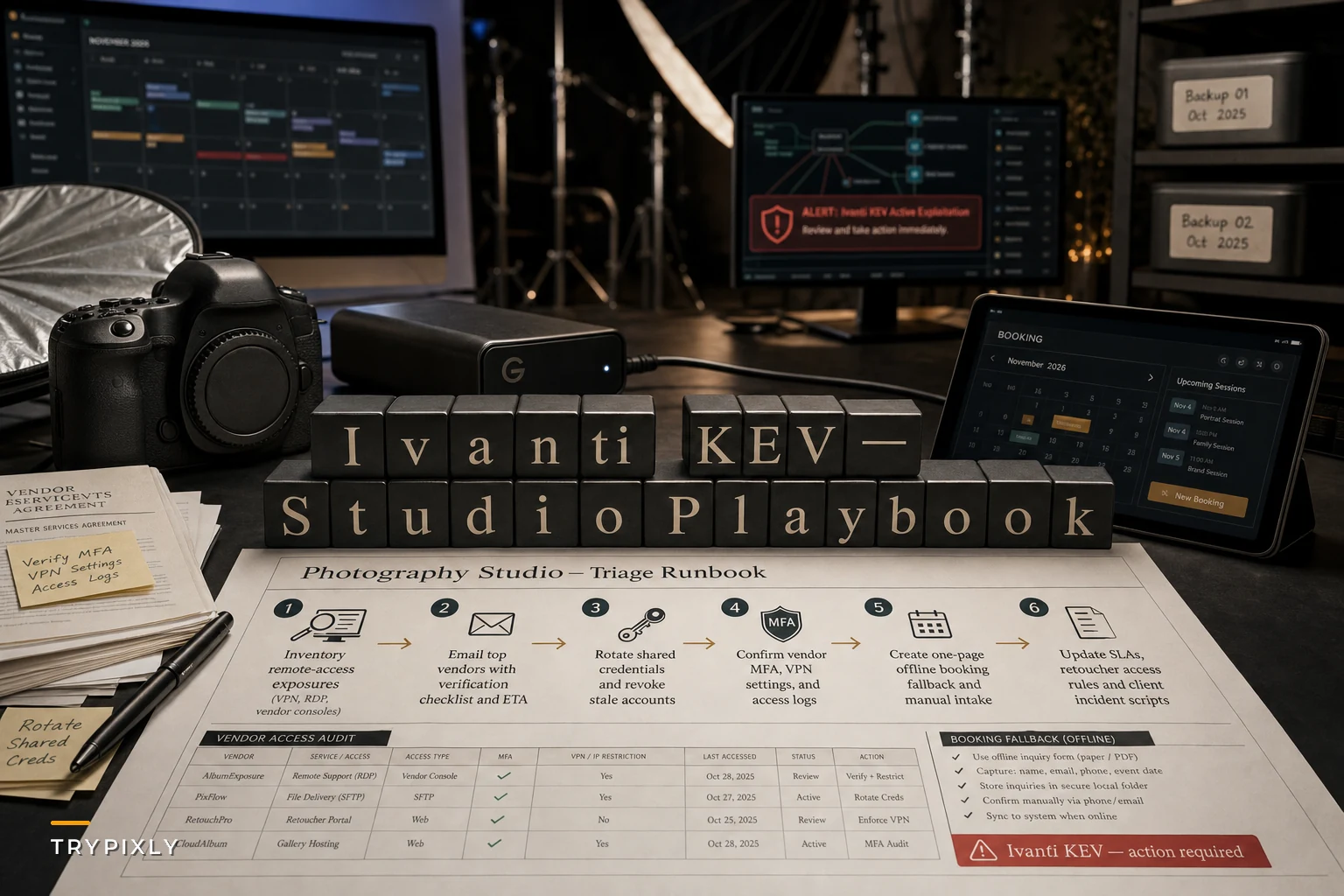

On October 30, 2026, CISA added two actively exploited Ivanti Connect Secure vulnerabilities to its Known Exploited Vulnerabilities catalog. If you're reading that and thinking "I don't run Ivanti, so this doesn't affect me" — that's exactly the assumption that gets studios in trouble.
The short version: Ivanti patched a pair of zero-days after attackers chained them together for unauthenticated root code execution, credential theft, and lateral movement across networks.
SecurityWeek's coverage of the Connect Secure attack chain laid out how bad it gets once an attacker is inside — they don't stop at the appliance, they move sideways into whatever else is reachable. CISA's KEV catalog addition carries remediation deadlines for federal agencies, which historically becomes the baseline that enterprise vendors scramble to meet as well.
Here's why a photography studio should care: you almost certainly don't own the vulnerable appliance. Your booking platform might. Your retouching partner might. The school district you shoot for might. When their remote-access gear gets compromised, the blast radius includes the integrations and data pipelines you depend on daily. That's the real story — not the CVE itself, but how fragile most studios' operational dependencies turn out to be when a vendor three layers upstream gets hit.
The actual risk isn't the vulnerability — it's your dependency map you've never drawn
Most studios have never written down who holds their client data and through what connection. Think about what's flowing through your operation on any given week:
-
Client PII and payment details sitting in your booking system
-
High-res galleries stored with a third-party host
-
Shoot files handed off to outsourced retouchers through shared drives or portals
-
Calendar and CRM integrations syncing automatically between four or five tools
-
School and corporate clients whose IT teams you've connected to for file delivery
Any one of those relationships might route through a VPN or remote-access appliance like the one CISA just flagged. When that appliance becomes the entry point for credential theft and lateral movement, your data is exposed through someone else's hole — and you won't get a courtesy call until it's already a problem.
Studios consistently treat cybersecurity as an IT concern, not an operations concern. But a compromised vendor during peak season isn't an IT incident. It's a booking system that goes dark the week before your busiest Saturday. It's galleries you can't deliver. It's a corporate client's security team demanding a vendor audit you can't answer. The vulnerability is technical. The damage is entirely operational.
What this week actually requires — a triage, not a project
You don't have time to overhaul your security posture. You have time to run a focused triage that closes the most likely gaps. Here's the order that makes sense:
Never miss a shoot or client detail again.
TryPixly helps you book, confirm, and manage every photography session seamlessly.
- Unified session and client management
- Automated client reminders
- Team calendar & resource scheduling
No credit card required
-
Inventory your remote-access and VPN exposure first. Do you use any VPN appliance, remote-access gateway, or secure-connect tool to reach files, cameras, or systems off-site? If yes, confirm the vendor and whether it's on the KEV list. This takes an afternoon, not a week.
-
Email your top 5 data-handling vendors a direct question. Not a generic "are you secure" note. Ask specifically: "Are any of your systems running Ivanti Connect Secure, and if so, have you applied the October 30 patches?" A vendor that answers same-day is worth keeping. One that goes quiet tells you something.
-
Force a credential rotation on anything shared. Credential theft is part of this exploit chain, so assume any password shared between you and an affected vendor could already be compromised. Rotate portal logins, FTP credentials, and shared-drive access this week — regardless of whether you think you're affected.
-
Confirm MFA is enabled everywhere on your booking and payment systems. Lateral movement thrives on reused credentials and single-factor logins. This is the cheapest meaningful control you have.
-
Write a one-page manual fallback for bookings. If your booking platform or its upstream host goes offline for 48 hours, how do you take appointments? A shared phone line, a simple form, a backup calendar — decide this now, not during the outage.
That fifth step is the one studios skip, and it's the one that saves the weekend.
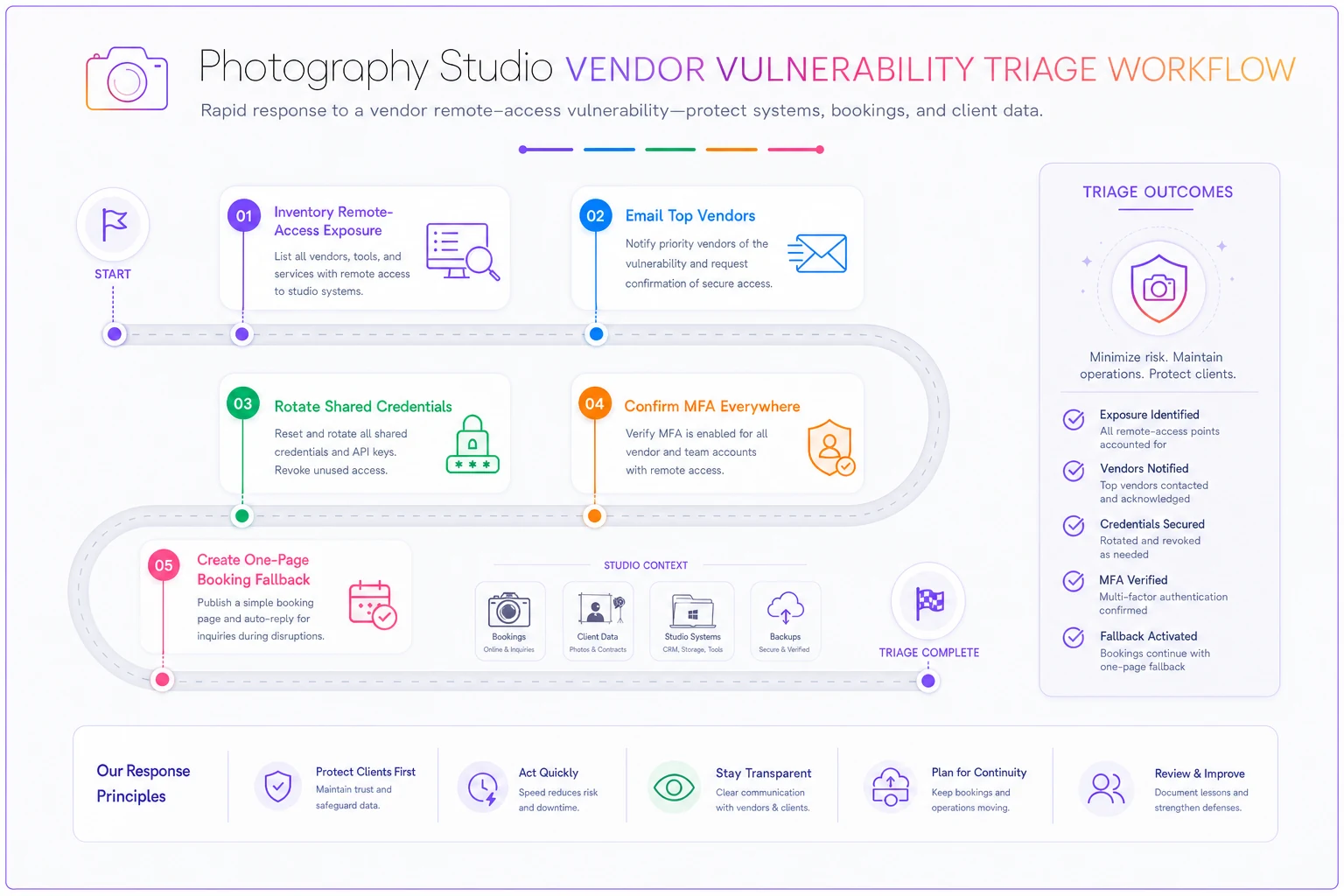
A simple visual of this triage helps teams run it in order.
The technical patching is largely out of your hands. The operational continuity isn't.
Where studios usually have blind spots
A useful exercise is comparing where you think client data lives versus where it actually travels.
| Data or workflow | Where owners assume it lives | Where it actually flows |
|---|---|---|
| Client payment info | "In my booking software" | Booking tool → payment processor → sometimes a synced CRM |
| Edited galleries | "On my gallery host" | Host → client download links → sometimes vendor retouch portals |
| Raw shoot files | "On my drives" | Local drives → cloud backup → outsourced editor's shared folder |
| School/corporate delivery | "I just upload it" | Your system → their IT portal, often over VPN |
| Scheduling data | "In my calendar" | CRM ↔ calendar ↔ reminder tool ↔ booking page, all auto-syncing |
The right column is where the Ivanti-style risk actually hides. Every arrow is a trust relationship with a vendor you don't control. The more arrows, the wider your exposure to someone else's unpatched appliance.
The studios that recover fastest from vendor incidents aren't necessarily the ones with the most security tools. They're the ones who already knew every arrow in that right column before anything broke. That's a boring advantage to build, but it pays off in the moments when things break at the worst possible time.
A real scenario: the family studio that got lucky by accident
Consider a mid-sized family and newborn studio — three photographers, roughly 280–320 sessions a month during their busy stretch, running bookings through an online platform and outsourcing about half their retouching to an overseas partner.
When a similar vendor-side advisory hit last year, their retouching partner's file portal went offline for nearly four days while the vendor scrambled to patch and verify no data had been exfiltrated. The studio had around 40 galleries stuck mid-production behind that portal. Clients were asking where their newborn photos were. There was no fallback handoff method — editors couldn't receive new files and finished work couldn't come back.
The scramble cost somewhere in the range of $2k–$3k in rush fees and comped sessions to keep clients from walking, plus two weeks of catch-up that pushed delivery times past their promised turnaround. Nothing was technically their fault. The vulnerability was upstream. But the operational pain was entirely theirs.
The quiet lesson: they had no secondary path. After that, they set up a second approved editor with a separate file channel and kept both warm with small volumes of real work. The next time a vendor had an issue, they rerouted in a day instead of losing two weeks. The cost of building that redundancy was minor compared to what they'd already paid to learn they needed it.
When tightening vendor security actually matters — and when you're overdoing it
Not every studio needs enterprise-grade vendor vetting. The goal is matching your controls to your actual data footprint, not achieving maximum paranoia.
This matters a lot when:
-
You shoot for schools, government, or corporate clients with their own security teams
-
You store client PII and payment data in connected systems
-
You outsource retouching or editing to partners who hold your raw files
-
You run multiple integrated tools that auto-sync client data
You're probably overdoing it when:
-
You're a solo portrait photographer with one booking tool and local file storage
-
You're demanding SOC 2 reports from a vendor handling nothing sensitive
-
You're rotating credentials weekly out of anxiety rather than on any reasonable schedule
A studio handling corporate headshots for a Fortune 500 client has a genuinely different obligation than one shooting senior portraits with a single booking tool. Know which one you are.
The deeper problem this exposes: studios treat integrations as permanent
Studios connect tools once, watch them work, and mentally file them as "done." The integration becomes invisible until the day it breaks — and by then there's no plan.
Every automated sync between your booking page, CRM, calendar, payment processor, and gallery host is both a convenience and a dependency. When a vendor in that chain gets compromised, the same automation that saved you hours becomes the thing that spreads the disruption. This is exactly why resilient studios design for failure instead of assuming uptime. Worth reading: our breakdown on building a resilient tech architecture for when integrations break bookings walks through how to structure your tools so a single vendor outage doesn't take your whole front desk down with it.
Keep each one-page fallback pinned in your team drive and on your phone so it's accessible during an outage.
The studios that weather these events well have usually done one unglamorous thing: they've written down what happens when each critical connection fails. Not a 40-page disaster recovery document — a one-page sheet per critical system that says "if this goes down, here's the fallback, here's who we call, here's the backup login." That's genuinely the difference between a stressful afternoon and a lost weekend.
A quick checklist to run before the week is out
Here's what to actually do — not eventually, this week. Most of these take less time than you think.
-
[ ] List every tool that touches client PII, payments, or galleries
-
[ ] Identify which vendors use VPN or remote-access appliances
-
[ ] Email your top vendors the specific Ivanti/patch question
-
[ ] Rotate any credentials shared with external partners
-
[ ] Confirm MFA is on across booking, payment, and gallery logins
-
[ ] Write a one-page manual booking fallback
-
[ ] Set up or confirm a secondary file-handoff path for retouching
-
[ ] Draft a short client message you can send if an outage hits
-
[ ] Put a recurring quarterly reminder to re-ask vendors about their security posture
That last item matters more than it looks. The Ivanti alert won't be the last one. Making vendor security a recurring operational checkpoint — not a one-time fire drill — is what separates studios that panic each cycle from studios that just handle it.
The takeaway
The Ivanti situation is a technical event, but for studios it's really a stress test of something most owners have never built: a clear, written understanding of who holds their data and what happens when a link in that chain fails. You can't patch your vendors' appliances. You can map your exposure, demand straight answers, rotate shared credentials, and make sure a vendor's bad week doesn't become your lost booking weekend. Run the triage this week. It's a few focused hours against the risk of your busiest season getting derailed by a vulnerability you never owned in the first place.
Ready to elevate your studio’s workflow?
Join 500+ studios using TryPixly to save time, reduce scheduling conflicts, and deliver exceptional client experiences.