
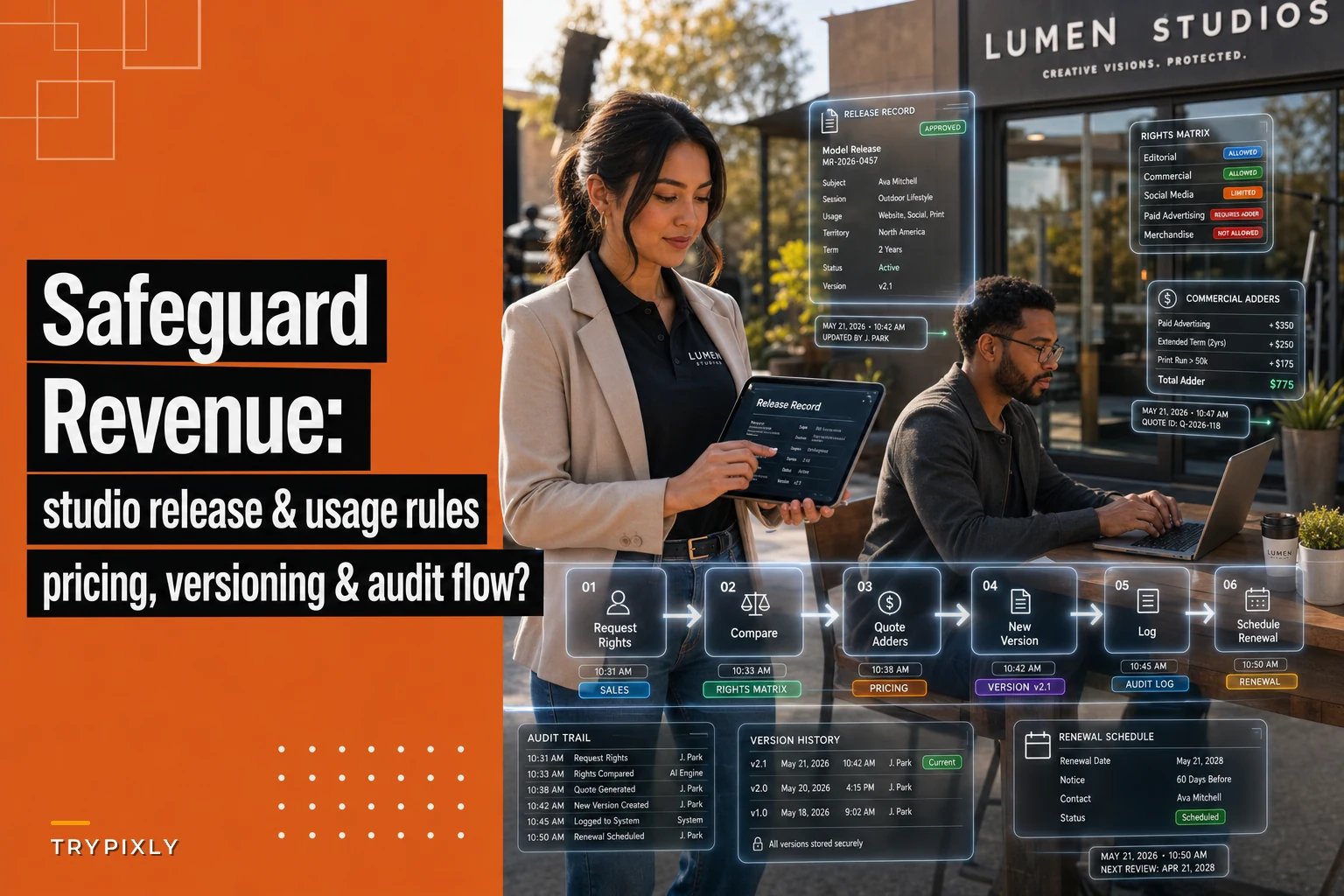

Most studios treat image licensing as an afterthought — a checkbox on the contract that gets copied from session to session without much thought. Then a corporate client emails eighteen months after a headshot shoot asking to use one of the images in a national ad campaign, and suddenly nobody can find the signed release, nobody remembers what usage was granted, and the studio either gives away a lucrative license for free or spends a week arguing about it.
That gap between "we took the photos" and "we control how they get used" is where a surprising amount of money leaks out. The photography image licensing workflow isn't just legal hygiene — it's a revenue system. Handled well, a single portrait shoot can turn into recurring licensing income. Handled badly, you're doing free commercial work for brands with real marketing budgets.
This post is narrow on purpose. It covers three things: when to request which rights based on session type, how to price commercial usage adders, and how to store and retrieve releases so the whole thing doesn't fall apart the moment you actually need it.
Why rights requests should be tied to session type, not a blanket template
The single most common mistake is using one release form for everything. A newborn session and a corporate headshot session carry completely different downstream usage risks, and treating them the same means you're either over-asking (which spooks families) or under-asking (which hands free commercial rights to businesses).
The pattern worth internalizing: the more likely an image is to generate commercial value for the client, the more specific your rights request needs to be. A family isn't going to license their newborn photos to a diaper brand. A startup founder's headshot, on the other hand, might end up on a billboard, a Series B pitch deck, and a magazine feature — and every one of those is a usage tier you could have priced.
The friction shows up like this in practice: a studio uses a generic release that grants the client "personal use" and grants the studio "portfolio and marketing use." Fine for portraits. But then a small business books a branding session, gets 40 images, and starts running paid Instagram ads with them. The release said "personal use." Nobody enforced it. Nobody even noticed until the ads had been running for months. That's commercial usage the studio never charged for.
The fix is to segment your rights requests by session category before the shoot ever happens — ideally baked into your intake so the correct release attaches automatically. If you've already built session-specific onboarding flows, this is a natural extension of that logic: the session type determines the paperwork, not the person filling out the form.
A working rights matrix by session type
| Session type | Studio rights to request | Client rights to grant | Commercial usage likely? | Default release approach |
|---|---|---|---|---|
| Newborn / family | Portfolio + marketing (opt-in) | Personal use, unlimited prints | No | Simple personal-use release, model release opt-in |
| Senior / individual portrait | Portfolio + marketing (opt-in) | Personal + limited social | Rarely | Standard release, social-use clause |
| Branding / personal brand | Limited portfolio (with consent) | Defined commercial scope | Yes | Tiered commercial release, usage-specific |
| Corporate headshots (bulk) | Usually none | Internal + web use, capped | Sometimes | Commercial release, per-seat or bulk terms |
| Product / commercial shoot | None (typically work-for-hire) | Full defined commercial rights | Always | Negotiated license, usage + duration + territory |
| Event (corporate) | Marketing (with approval) | Internal + PR use | Sometimes | Event release with media-use clause |
The point of the matrix isn't to memorize it. It's to force a decision before the session about what usage is realistic, so pricing conversations happen up front instead of two years later when you have zero leverage.
Pricing commercial usage: the adder model
Once you know a session carries commercial potential, the next question is how to price it — and this is where most studios undersell badly. They quote a flat session fee, deliver the images, and never separate the creation of the photos from the usage of them. Those are two different products.
Never miss a shoot or client detail again.
TryPixly helps you book, confirm, and manage every photography session seamlessly.
- Unified session and client management
- Automated client reminders
- Team calendar & resource scheduling
No credit card required
The cleaner mental model: your session fee covers your time and craft. Your usage license covers the value the client extracts from the image over time. A headshot that lives on a LinkedIn profile is worth one thing. The same headshot used in a paid recruiting campaign across three countries is worth considerably more — and the incremental cost to you is basically zero. That gap is pure margin if you price for it.
How usage adders actually stack
-
Scope — internal use vs. marketing vs. paid advertising
-
Reach — local, regional, national, global
-
Duration — 6 months, 1 year, perpetual
-
Exclusivity — can you still use it in your portfolio, or is the client buying that too
-
Media — web only vs. print vs. broadcast vs. out-of-home
A typical example: a studio charges a $450 base for a branding session. The client wants ten images for their website and organic social — that's a light commercial tier, maybe a $250–$400 usage adder. Six months later they want to run three of those images as paid ads for a year, nationally. That's a separate license: another $600–$1,200 depending on how you've structured your tiers. The images already exist. The retouching is done. The entire second transaction is margin.
Studios without adders built into their workflow simply don't have this second conversation. The client uses the images however they want, and the studio never sees the additional revenue because "it was already delivered."
A simple three-tier usage structure
-
Tier 1 — Internal / organic use. Client's own website, social profiles, internal decks, email. No paid distribution. Modest adder on top of session fee.
-
Tier 2 — Marketing use. Paid social, digital ads, printed brochures, regional campaigns. Defined duration (usually 12 months). Meaningful adder, renewable annually.
-
Tier 3 — Broad commercial / broadcast. National campaigns, out-of-home, TV, packaging. Priced per project, negotiated, often with exclusivity fees layered in.
The discipline is writing the tier into the release at booking, with clear renewal terms. A one-year Tier 2 license that quietly expires is a renewal conversation — and renewals are some of the easiest revenue you'll ever book, because the client is already using the work and doesn't want to stop.
When usage pricing makes sense — and when it doesn't
Charging usage adders is obviously right for branding, corporate, and product work. Bolting commercial licensing language onto a newborn or family shoot is a different story — you'll create confusion and friction for zero upside, since those images will never generate commercial value.
Who should not aggressively pursue this: studios whose entire book is consumer portraits with no commercial clients. If nobody in your pipeline is a business using images for marketing, building an elaborate usage-tier system is wasted effort. Match the complexity of your licensing to the commercial reality of your client base.
Release storage and versioning: the part everyone skips
The operational failure that quietly destroys licensing revenue: the pricing and rights matrix can be perfect, but if you can't retrieve the signed release when a client comes back, none of it matters. You're negotiating from memory, and memory loses.
It comes up constantly. Releases end up in three or four places at once — a signed PDF in someone's email, a paper copy in a folder, a form response in a booking tool, a scanned image on a laptop. When a licensing question surfaces, staff spend hours hunting, and half the time the version they find isn't the final signed one. There's no way to prove what was actually granted.
Two things fix this: centralized storage and real versioning.
Centralized storage means every release for a given client and session lives in one findable place, tagged by session type, date, and license tier. Not scattered across inboxes and shared drives. One record, one source of truth.
Versioning matters more than people expect. Releases get amended. A client upgrades from Tier 1 to Tier 2. A corporate client adds seats. If you overwrite the old release with the new one, you lose the audit trail — and if there's ever a dispute about what was granted when, you have no history. You want each version preserved and timestamped, with the current active license clearly flagged.
What a proper release record should contain
-
Client name and business entity (they're often different — the person books, the company holds the license)
-
Session type and date
-
Signed release document (the actual file, not just a "yes" checkbox)
-
License tier granted, with scope, reach, duration, and expiry date
-
Any usage adders paid and their amounts
-
Version history with timestamps
-
Renewal date and status
-
Notes on any verbal or email amendments (with the emails attached)
The renewal date field is the one studios forget, and it's where the money is. A Tier 2 license expiring in 90 days is a scheduled sales opportunity. Without a system flagging it, it silently lapses and the client keeps using the images for free.
The retrieval and audit process that protects the revenue
Storage without a retrieval process is just a nicer filing cabinet. What makes licensing actually enforceable — and profitable — is a defined process for when licensing questions come in, plus a periodic audit to catch expirations before they become problems.
A workable retrieval workflow when a client requests new or expanded usage:
-
Pull the existing release record by client and session. Confirm the current active license tier and its expiry.
-
Compare the request against granted rights. Is the client asking for something already covered, an upgrade, or entirely new usage? This single comparison is where the pricing conversation is won or lost.
-
Quote the appropriate adder or new license. If it's an upgrade (Tier 1 → Tier 2), price the difference. If it's expansion beyond current scope, price the new tier.
-
Amend and version the release. Create a new version reflecting the expanded rights, preserve the old one, set the new expiry and renewal date.
-
Log the transaction against the client record so the next person who touches the account sees the full history.
Beyond reactive retrieval, run a quarterly licensing audit. Pull every commercial license, flag anything expiring in the next 90 days, and trigger renewal outreach. It's the same discipline that makes deposit and cancellation policies work — the system only protects revenue if someone actually acts on what it surfaces, which is exactly the logic behind a testable cancellation and deposit policy. A rule nobody enforces is just a suggestion.
This is also where good operational software earns its place — not because it's clever, but because tying release storage, license tiers, and renewal dates into the same system that holds the client's booking history means retrieval takes minutes instead of a half-day hunt. When the record surfaces automatically the moment a client account is opened, renewal and upgrade conversations actually happen instead of getting quietly buried.
Flag renewal dates in your booking system so expiring licenses surface in audits.
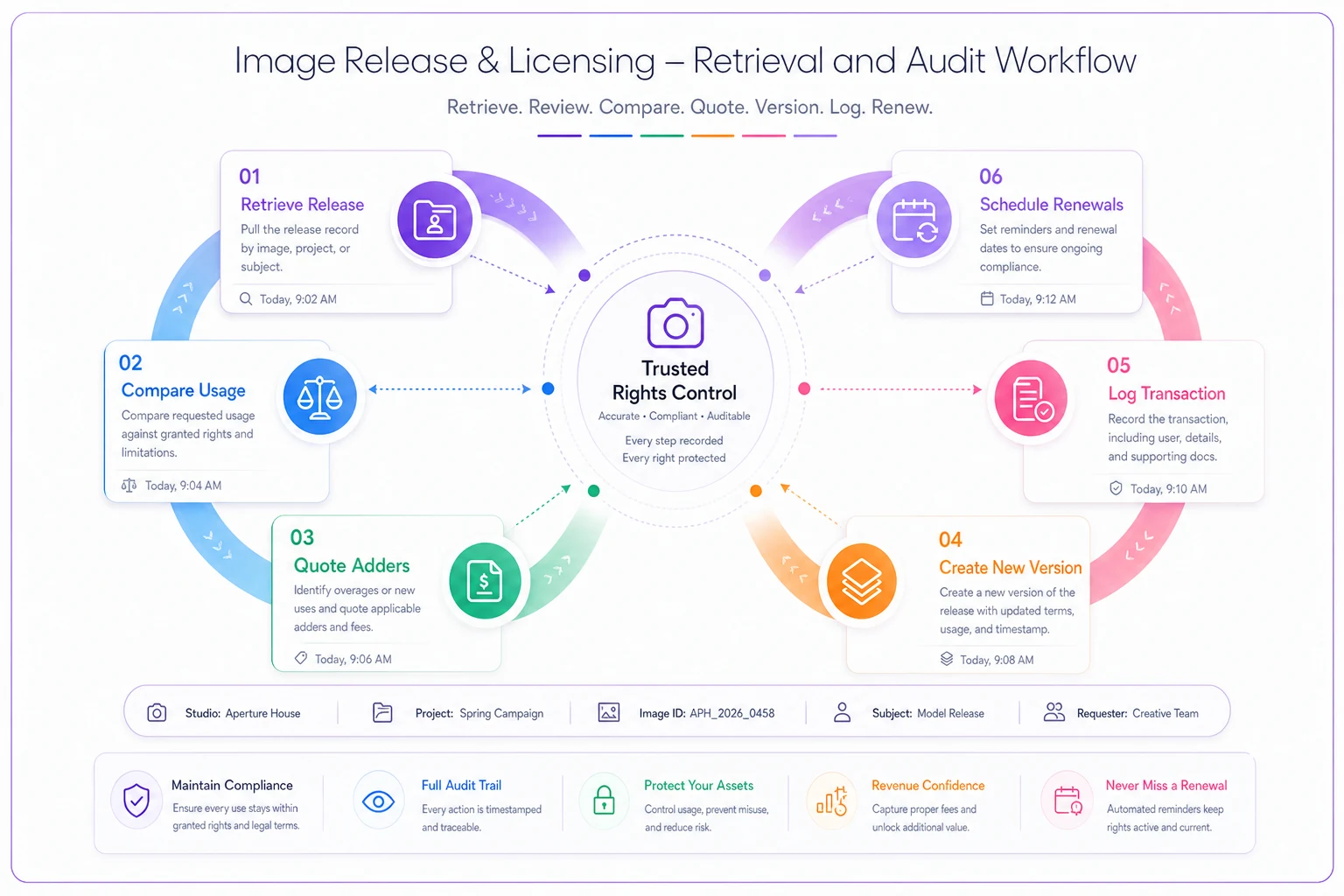
The graphic above shows the workflow you'd follow when a usage question surfaces, from pulling the record to updating the license and scheduling renewals.
A real scenario
A four-person portrait and branding studio was booking roughly 30–40 branding sessions a year alongside its family work. Their release was a single generic form granting the studio marketing rights and the client "personal and business use" — vague, uncapped, no duration.
The problem surfaced when a repeat business client, who'd booked two sessions over three years, casually mentioned they'd been running the studio's images in paid ad campaigns "the whole time." The studio had never charged a cent of usage. When they went to check the release, it took two days to find the signed copy, and the language was so broad it arguably permitted exactly what the client was doing.
They rebuilt the workflow: session-type-specific releases, a three-tier usage structure with defined durations, and one central place for every signed release with renewal dates flagged. Over the next year, they started catching upgrade conversations at booking and renewals at expiry. The added licensing revenue landed somewhere around $6k–$9k for the year — not from new clients, just from finally charging for usage they'd been giving away. Retrieval time on any given release dropped from a day of digging to under a minute.
Nothing about their photography changed. They just stopped treating usage as free.
Where to start
If your current setup is a single generic release and a folder of scattered PDFs, don't try to build the whole system at once. Start with the two changes that move the most money:
-
Segment your releases by session type so commercial sessions get commercial terms.
-
Add duration and renewal dates to every commercial license, and put every signed release in one findable place with version history.
The rest — tiered pricing, audit cadence, automated renewal flags — layers on naturally once those foundations exist. The studios that lose licensing revenue almost never lose it because their prices are too low. They lose it because they never separated creating the image from licensing its use, and because when the moment came to enforce their rights, they couldn't find the paperwork. Fix those two things and the photography image licensing workflow stops being a liability and starts being a line item that grows on its own.
The rest — tiered pricing, audit cadence, automated renewal flags — layers on naturally once those foundations exist. The studios that lose licensing revenue almost never lose it because their prices are too low. They lose it because they never separated creating the image from licensing its use, and because when the moment came to enforce their rights, they couldn't find the paperwork. Fix those two things and the photography image licensing workflow stops being a liability and starts being a line item that grows on its own.
Ready to elevate your studio’s workflow?
Join 500+ studios using TryPixly to save time, reduce scheduling conflicts, and deliver exceptional client experiences.