

Wedding day. Corporate gala. A 40-family school portrait marathon. These are the days where one wrong decision costs you the client, the referral chain behind them, and sometimes margin you'll never recover.
The problem isn't that things go wrong. Cards fail. Second shooters get stuck in traffic. A client's mother-in-law decides the timeline is now 45 minutes shorter. Things going wrong on event day is the baseline — not the exception. What separates studios that come out fine from studios that lose a review score and end up in a deposit dispute is whether anyone knew what to do in the ninety seconds after the problem surfaced.
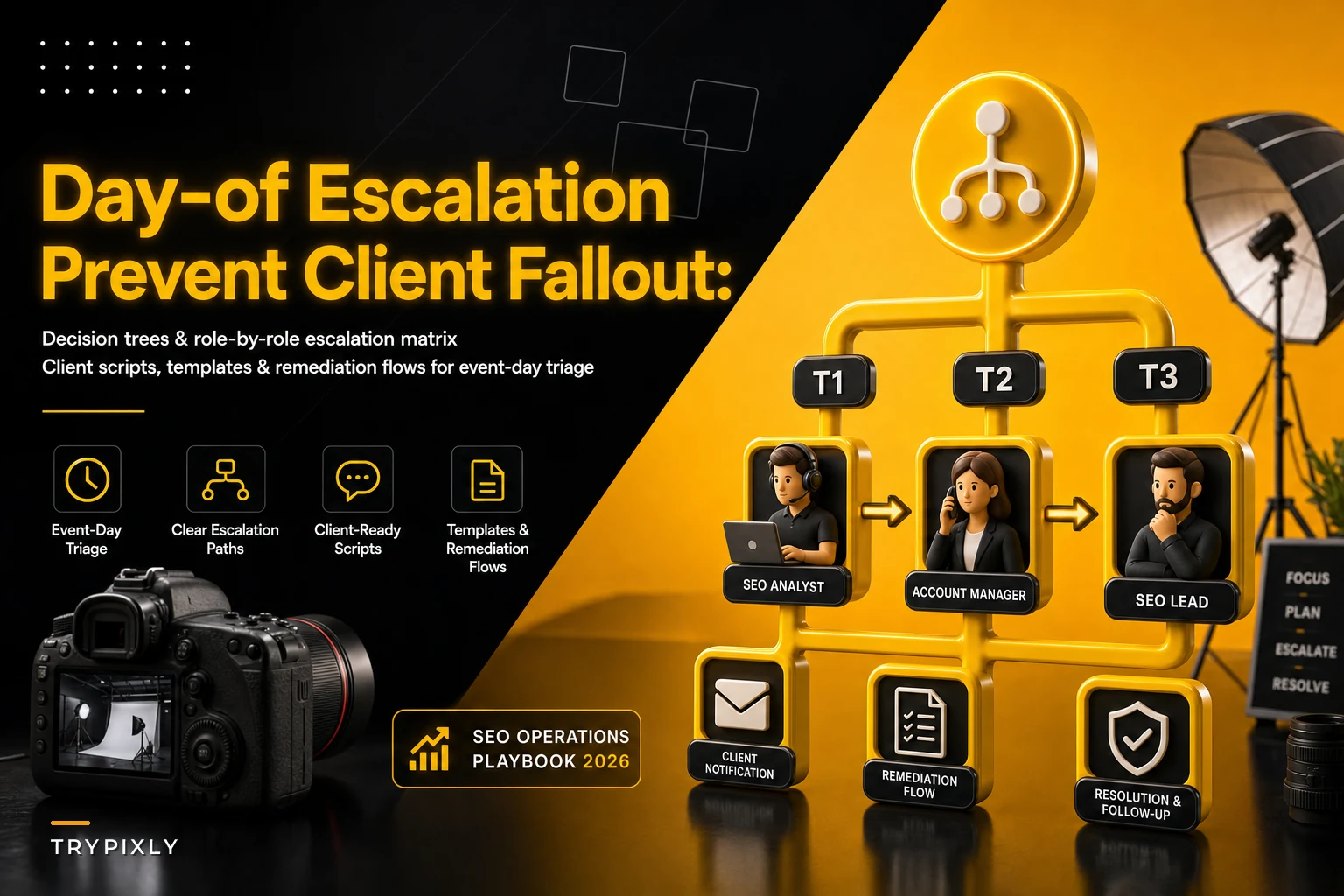
Most studios don't have a photography event day escalation plan. They have a group chat and a lead shooter who "handles it." That works until the lead shooter is the one who's compromised — camera down, sick, or too deep in a moment to step out. This piece is about building the tree, the roles, and the client-facing scripts so triage happens fast and quietly, without anyone freezing up.
Why the "the lead will handle it" model fails predictably
The default escalation model in most studios is a single point of judgment. Everything flows to whoever is running the shoot, and they decide on the fly. The problem is that event day is exactly when that person has the least available attention.
The pattern plays out like this: a problem surfaces, someone notices, but nobody's sure whose call it is. So they either interrupt the lead mid-shot — breaking the thing that's actually generating revenue — or they sit on it and hope it resolves. Both are bad. The delay between "problem exists" and "problem is being worked" is where client fallout is born.
A typical example: a second shooter's card throws a write error during cocktail hour. They don't want to alarm anyone, so they quietly swap cards and keep going — but they don't flag it. Three hours later during the download, the studio realizes 200 frames of cocktail-hour candids are corrupted. Now it's not a technical hiccup that could've been handled with a quick reshoot of a few key portraits. It's a delivery gap the client will notice, and there's no recovery window left.
The failure wasn't the card. Cards fail. The failure was that nobody had defined a threshold telling that shooter "this is a report-immediately event, not a handle-it-yourself event." Nobody drew the line, so the shooter guessed. They guessed wrong.
The three-tier severity model that keeps decisions moving
Before you build any tree, you need to classify. Not every problem deserves the same response, and the biggest waste on event day is either treating a minor issue like a full crisis — pulling people off their jobs — or letting an actual crisis fester because it didn't feel urgent enough. We use three tiers.
Never miss a shoot or client detail again.
TryPixly helps you book, confirm, and manage every photography session seamlessly.
- Unified session and client management
- Automated client reminders
- Team calendar & resource scheduling
No credit card required
| Tier | Definition | Response window | Who decides |
|---|---|---|---|
| T1 — Contained | Solvable by the person who found it, no client-visible impact | Handle in place, log it | The person on scene |
| T2 — Coordinated | Needs a second person, resources, or a timeline shift; may become client-visible | Under 5 minutes to assign | Lead or designated deputy |
| T3 — Client-impacting | Deliverables at risk, safety issue, or client already aware | Immediate, everything else pauses | Owner/manager, on or off-site |
Treat any storage failure, even a single write error, as a T2 trigger so it gets logged and monitored.
The value here isn't the labels. It's that everyone on the team knows which tier a situation falls into before it happens, so there's no debate in the moment. A card write-error mid-event is T2 at minimum — it needs to be logged and a backup plan confirmed — because it can become T3 if the card fully dies. That reclassification is exactly what the earlier example missed.
The most dangerous tier is the T2 that everyone treats as T1. Nobody escalates because it doesn't feel like a fire yet. Build your tree so certain triggers automatically bump to T2 regardless of how minor they feel — any storage failure, any equipment down, any timeline change over 15 minutes, any client complaint spoken out loud.
Building the decision tree so nobody has to think under pressure
A decision tree isn't a flowchart you print and forget. It's a set of if-this-then-that branches that turn a stressful judgment call into a lookup. The whole point is to move the thinking to a calm Tuesday afternoon instead of a chaotic Saturday.
Here's how a functional branch reads for the most common event-day categories. Keep them short — if a branch takes more than three steps to resolve, it's too complex to use live.
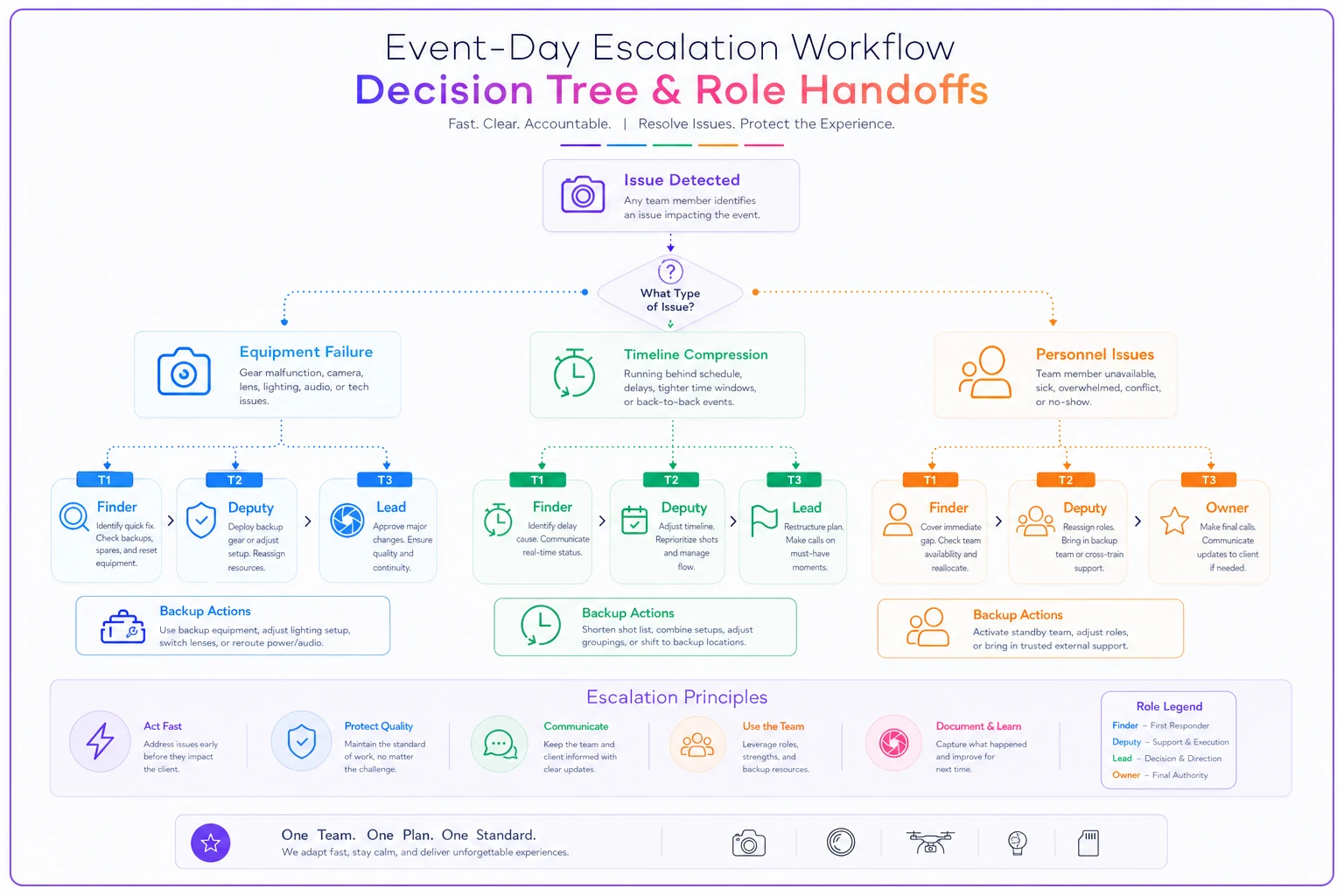
Keep the visual nearby so anyone can look up the path instead of inventing one under pressure.
Equipment failure branch:
-
Is there a working backup in the bag right now? → Yes
swap, log it, continue (T1).
-
No backup on person? → Radio the deputy for the shared backup kit (T2).
-
No backup available anywhere on-site? → T3
deputy calls the owner, owner triggers the equipment-runner or rental contact, lead adjusts the shot list to buy time.
Timeline compression branch:
-
Client cuts under 15 minutes? → Lead absorbs it silently, drops the lowest-priority group shots (T1).
-
Client cuts 15–30 minutes? → Deputy pulls the "must-have shot" list, lead re-sequences to protect non-negotiables (T2).
-
Client cuts over 30 minutes? → T3
owner or lead has the direct conversation with the client contact about what won't be possible, in writing where feasible.
Personnel branch:
-
Someone's late but reachable and under 20 minutes out? → Redistribute their opening coverage (T1/T2).
-
Someone's unreachable or incapacitated? → T3
activate the on-call substitute immediately, don't wait to confirm they're truly out.
The tree works because each branch ends in an action and a tier, not in "figure it out." If you've already thought hard about how coverage gets redistributed when a shooter drops, your role matrices and substitution protocols become the backbone the personnel branch plugs into. The escalation tree just tells you when to pull that lever.
The role-by-role escalation matrix
A tree tells you what to do. The matrix tells you who. On event day you need named roles, not job titles, because the person shooting isn't the person who should be making phone calls.
-
On-scene finder — whoever spots the problem. Their only job is to classify (T1/T2/T3) and route. They do not try to solve T3 issues themselves.
-
Deputy / floor coordinator — the person not glued to a camera. Handles all T2 assignments, runs the backup kit, buffers the lead from interruptions. This role is criminally underused. Most studios don't assign it, so the lead gets pulled for every T2, which is exactly what you're trying to prevent.
-
Lead shooter — protects the primary deliverables. Only gets pulled into decisions at T3, and even then only if it can't be handled without them. Their attention is the most expensive thing on-site.
-
Owner/manager (on-call) — the T3 escalation point and the only person authorized to make client-facing commitments about deliverables, refunds, or reshoots. Can be off-site. Must be reachable.
-
Runner/backup resource — the person who can bring a rental, a spare body, or drive to the studio for the emergency kit. Sometimes this is a phone number, not a person on-site.
The single biggest structural fix here is the deputy. When you designate someone whose explicit job is to absorb T2 chaos so the lead never breaks focus, the number of interruptions to your revenue-generating shooter drops significantly. That's the whole game on a wedding day — keep the person making pictures making pictures.
A note on who should NOT be the escalation point
Don't make the lead shooter the owner's proxy for client-facing decisions. It feels efficient. It isn't. The lead is emotionally and physically in the event, and stressed clients will push a tired shooter into promising things — free reshoots, extra hours, discounts — that blow your margin. Client-facing commitments need to route to someone with distance from the moment. That separation protects both the relationship and the P&L.
Client communication templates that contain the damage
The uncomfortable truth about event-day problems is that the client's memory of the crisis is shaped almost entirely by how you communicated, not by the crisis itself. A card failure handled with a calm, honest, specific message becomes "they were so professional when the tech acted up." The same failure handled with silence and a vague apology becomes a one-star review.
Templates matter because nobody writes well under stress. Pre-write the awkward messages now, so the on-call owner is editing a draft instead of composing from panic.
A good client-facing crisis message has four parts, in this order:
-
Acknowledge specifically — name the actual thing, don't hide behind "a technical issue."
-
State what you're already doing — action reassures more than apology.
-
Set a realistic expectation — never over-promise a recovery you can't guarantee.
-
Give one clear next step — when they'll hear from you again.
"During the reception we had an equipment issue that affected some of the candid coverage between 8:15 and 8:40. We caught it quickly and the ceremony, portraits, and key moments are all fully secure. I want to be upfront with you now rather than have you discover a gap in the gallery. I'll follow up by Monday with exactly what we have and options to make it right."
Notice what that does. It's specific, it protects the perception of the important stuff, it names the gap before the client finds it, and it commits to a follow-up window instead of a vague promise. The instinct to hide the gap and hope they don't notice is what turns a survivable problem into a dispute. They always notice.
The same discipline you'd build into your pre-event communication — the confirmations, the expectation-setting — is what session-specific onboarding flows do on the front end. The escalation templates are the same philosophy applied to the moment things go sideways.
Remediation flows: deciding recovery before you're negotiating it
The piece studios skip most is the remediation menu — a pre-decided set of recovery options ranked by cost to you. When you're standing in front of an upset client with no plan, you improvise, and improvisation under pressure is expensive. You'll offer a full reshoot when a partial credit would've resolved it, or offer nothing when a small gesture would've saved the referral.
-
Level 1 (near-zero cost) re-edit priority, a few complimentary retouched extras, expedited delivery.
-
Level 2 (moderate cost) a print credit, a partial session reshoot for the affected segment, an album upgrade.
-
Level 3 (high cost, use sparingly) full reshoot, partial refund, package credit toward a future booking.
Match the remediation to the deliverable impact, not to how loud the client is. Louder clients pressure you toward Level 3 for a Level 1 problem. Having the ladder pre-defined gives your on-call owner a reference point — "here's what this situation actually warrants" — instead of caving to volume.
A short real scenario
A mid-size studio running around 40 weddings and a heavy corporate headshot calendar kept losing roughly one client per season to event-day problems that snowballed — usually a coverage gap discovered too late, or a timeline crunch handled badly on-site.
They built the tier model, named a deputy for every event over a certain size, pre-wrote six client templates, and set the three-level remediation ladder. No single event felt dramatically different — most of the time nothing went wrong at all. But over the following year, the problems that did happen stopped snowballing. Gaps got flagged in real time and communicated same-day. The deputy absorbed the T2 noise, so leads stopped making panicked margin-killing promises on-site. They didn't lose a client to an event-day breakdown that season, and their partial-refund payouts dropped noticeably. The whole plan cost them a couple of afternoons to build.
When this level of planning actually makes sense
If you shoot a handful of low-stakes sessions a month with one person, a full escalation matrix is overkill. Where it earns its keep is any studio running multi-person events, high-value single events like weddings, or high-volume days where one failure cascades across dozens of clients. The moment more than one person is on-site and deliverables are irreplaceable, the informal "the lead handles it" model stops scaling.
This isn't about anticipating every possible disaster — you can't. It's about making sure that when the disaster you didn't predict shows up, the response mechanism is already running. Someone classifies it, someone owns it, someone talks to the client, and someone decides recovery inside your margin instead of outside it. The specific failure is unpredictable. How your team reacts shouldn't be.
Build the tree on a calm afternoon. Name the roles before the season. Pre-write the hard messages. The days you'll be glad you did are the ones you can't see coming.
Ready to elevate your studio’s workflow?
Join 500+ studios using TryPixly to save time, reduce scheduling conflicts, and deliver exceptional client experiences.