
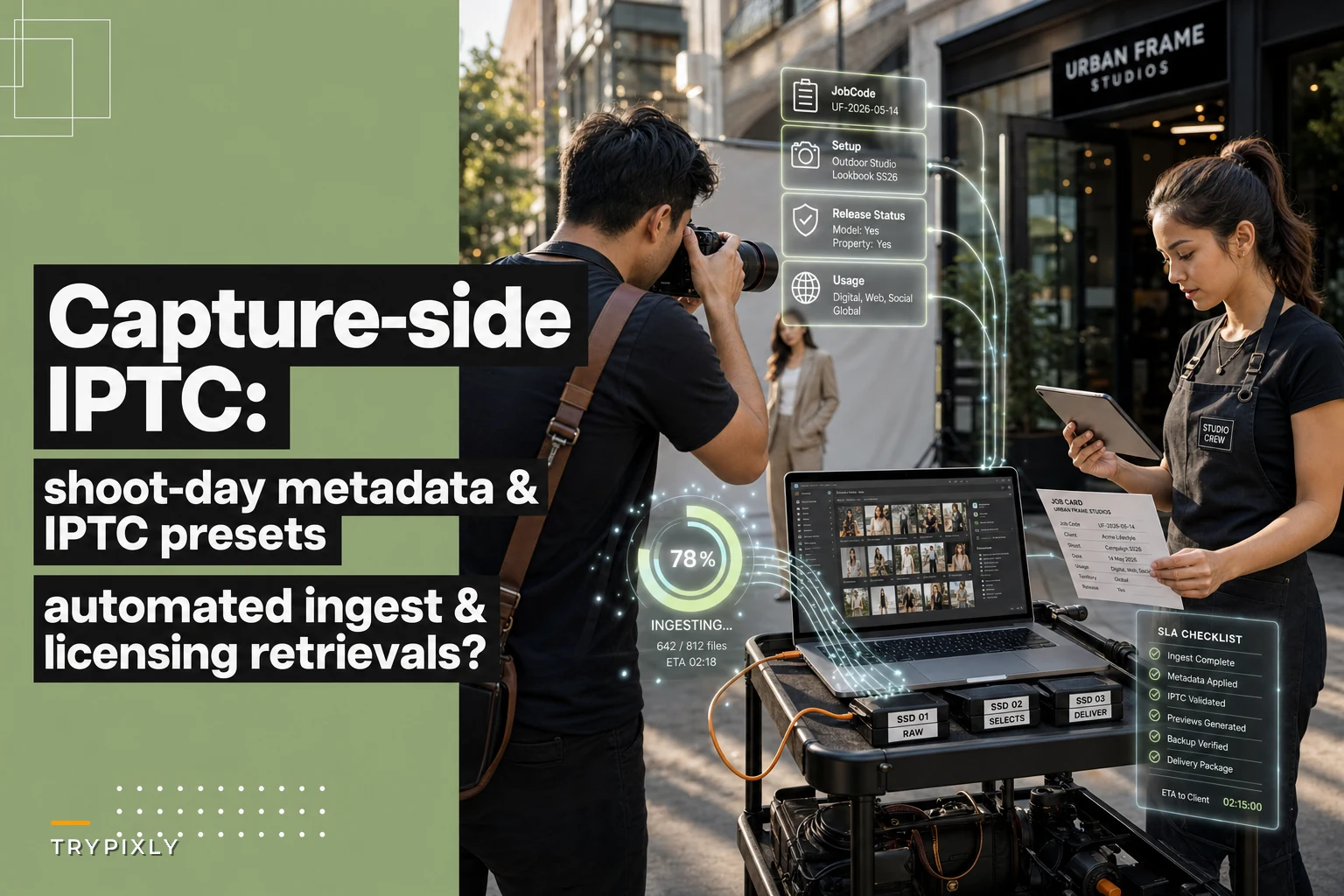

Most studios treat metadata as a post-production chore. Someone sits down three days after a shoot, opens Lightroom, and starts typing captions, keywords, copyright strings, and usage notes into hundreds of files already divorced from the context of the day. By then, half the detail is gone. Nobody remembers which frames were the agency-approved selects, which model signed a limited release, or whether the client's brand name goes in the title field or the caption.
The fix isn't more diligent tagging later. It's pushing the metadata decision to the moment of capture — or as close to it as your gear allows — so the file carries its own context from the first offload. That's the core of a capture metadata workflow IPTC photography teams actually stick to: presets and templates that stamp the right fields before a human ever "edits" anything.
This post is intentionally narrow. It covers shoot-day IPTC presets, shot-level templates, ingest rules into your DAM, naming conventions, and a short audit checklist. Not DAM strategy in general, not licensing contracts — just the capture-side plumbing that makes delivery and licensing retrieval fast instead of painful.
The actual problem: context dies between the card and the catalog
Here's the sequence that creates the mess. A photographer shoots a corporate half-day: three executives, two conference rooms, a product table, and some candid "culture" shots for the client's careers page. Around 1,400 frames across two bodies. The cards get handed off, dumped into a dated folder, and that's pretty much the extent of the metadata event.
-
Nobody recorded intent at the frame level. Which shots were the approved headshot setup vs. the alternate background? Which culture shots have identifiable non-employees who never signed anything?
-
Copyright and creator fields are blank or inconsistent. Camera A had the IPTC creator preset loaded from a wedding two weeks ago. Camera B had nothing.
-
Usage context lives only in someone's head. The client licensed the headshots for web and internal use, but the product shots were a different scope. None of that is attached to the files.
This gap doesn't hurt immediately. It hurts six months later, when the client emails asking for "that one shot of the CEO by the window, the horizontal version" and someone burns 40 minutes digging through folders because nothing is searchable by content or usage.
Why it happens: presets exist, but nobody owns the shoot-day layer
Almost every studio has some IPTC preset. The problem is it lives at the wrong altitude. A single studio-wide copyright preset is fine for creator and copyright notice fields — those rarely change. But the fields that actually speed licensing and delivery are shot-specific: the client/job code, the scene or setup, the release status, intended usage, and select status.
Never miss a shoot or client detail again.
TryPixly helps you book, confirm, and manage every photography session seamlessly.
- Unified session and client management
- Automated client reminders
- Team calendar & resource scheduling
No credit card required
Those fields can't be a single global preset because they change within a single shoot. And they can't wait for post because the person who knows the answer is the photographer standing in the room, not the editor three days later.
The real failure is organizational: no one owns the shoot-day metadata layer. The global preset is set-and-forget. The per-job detail is nobody's job. That's the vacuum where retrieval speed and licensing clarity quietly drain out.
Two layers of IPTC: what's static vs. what's shoot-specific
The cleanest way to think about this is splitting your IPTC fields into two buckets.
| Field group | Changes how often | Where it should be set | Example value |
|---|---|---|---|
| Creator / Creator contact | Per photographer, rarely | Camera preset or ingest default | "Jordan Ruiz / Ruiz Studio" |
| Copyright notice | Almost never | Camera preset or ingest default | "© 2025 Ruiz Studio. All rights reserved." |
| Credit line / Source | Per client sometimes | Ingest template per job | "Ruiz Studio for Meridian Corp" |
| Job / Title field | Every shoot | Ingest template per job | "MERIDIAN-2025-0418-HEADSHOTS" |
| Scene / Setup | Multiple times per shoot | Shot-level template | "Exec headshot — grey seamless" |
| Release status | Per subject | Shot-level or ingest flag | "Model release on file: Y" |
| Intended usage | Per deliverable group | Ingest template per job | "Web + internal, 2yr, non-exclusive" |
| Select status | Per frame | Capture or first cull | "Client select" |
The static group gets locked once and stops being a thinking task. The shoot-specific group is where your templates and ingest rules do the heavy lifting. Keeping these two mentally separate stops people from re-entering copyright strings 1,400 times and — more importantly — stops them from forgetting the fields that actually matter.
The shoot-day template system that actually holds up
The goal is that by the time files hit the DAM, every frame already carries its job code, setup, release status, and usage scope — without the photographer stopping to type between shots.
-
Lock camera-level IPTC presets per body, per photographer. Creator, creator contact, and copyright notice get stamped in-camera. This is a 10-minute setup the first time and basically never changes. If you shoot with rental or shared bodies, move this to the ingest step instead — don't trust a shared body's embedded preset.
-
Build named ingest templates per job type. Before the cards even come in, you create (or clone) an ingest preset named after the job:
MERIDIAN-2025-0418. It carries the job title field, credit line, and the default usage string for the primary deliverable. -
Define shot-level setups as metadata snapshots. During the shoot, the photographer or an assistant logs setup changes — "switched to grey seamless for headshots," "moved to conference room, candids." These map to scene/setup values. On a tightly run set this is literally a note in the capture app or a voice memo timestamped to the frames.
-
Flag release and usage exceptions at the moment they happen. The instant a non-employee walks into frame, or a shot falls outside the licensed scope, that gets noted. This is the single highest-value habit for licensing, because exceptions are exactly what you forget later.
-
Apply ingest rules on offload so the DAM reads the job code from the folder, applies the matching template, and sets the static fields from the embedded camera preset. The output is files that are already searchable by job, setup, release status, and usage.
A simple diagram of this flow helps teams understand where the metadata decisions occur.
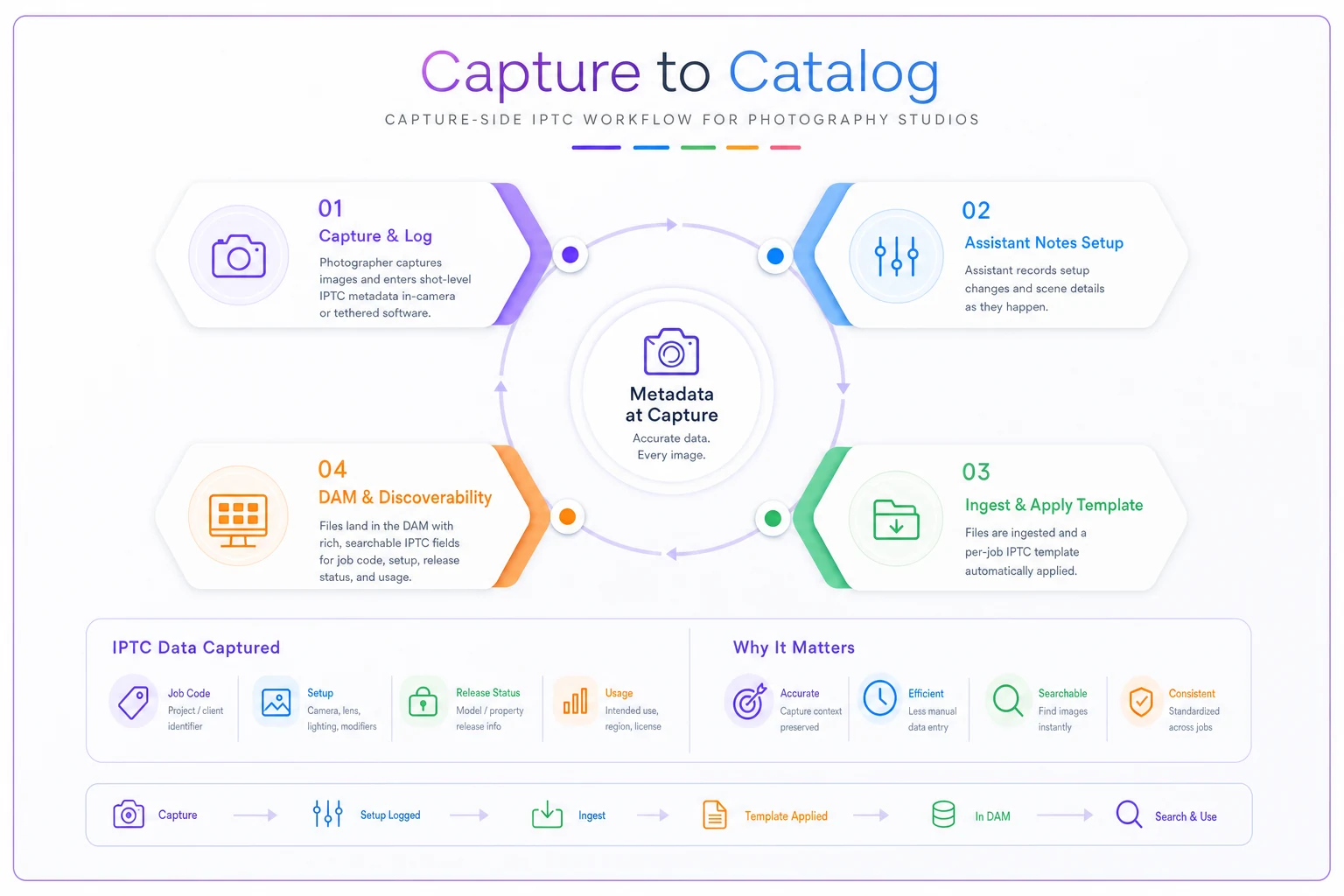
Steps 1–4 are cheap on the day. Step 5 collapses what used to be hours of post-ingest tagging into an automated pass.
Naming conventions: boring, and the thing that saves you
Naming isn't glamorous, but it's the index your brain and your DAM both rely on. A good convention encodes the job code, date, and sequence without trying to cram meaning into the filename that belongs in IPTC fields.
A pattern that holds up across session types:
CLIENTCODE-YYYYMMDD-SHOOTTYPE-####
So: MERIDIAN-20250418-HEAD-0042
Keep the human-readable detail — setup, release, usage — in the metadata fields, not the filename. The filename just needs to be unique, sortable, and traceable back to the job. A common mistake is stuffing everything into the filename: meridianceowindowshotfinalv2approved.jpg. That looks helpful until you need to search 8,000 files and realize filenames aren't a database. IPTC fields are.
Keep the human-readable detail — setup, release, usage — in the metadata fields, not the filename.
One rule worth enforcing: never let two different shoots share a client code without date separation. The date segment is what makes retrieval unambiguous a year later.
A real scenario: the half-day corporate shoot, before and after
A two-photographer studio doing a lot of corporate and headshot work was averaging around 3–4 days between a shoot and the first searchable catalog, mostly because metadata was being hand-entered after culling. Licensing retrieval requests — "send us the approved exec portraits, web-licensed only" — took anywhere from 30 to 90 minutes each because usage scope lived in email threads, not in the files.
-
First searchable catalog dropped to same-day on most jobs, since ingest handled the tagging automatically.
-
Licensing retrievals that used to be a 30–90 minute hunt became a saved search filtered by usage scope and release status — a few minutes at most.
-
They caught two licensing exceptions before delivery (non-employees in culture shots) that previously would've gone out unflagged.
Nothing about the shooting changed. The improvement came entirely from where the metadata decision happened.
The short shoot-day audit checklist
Run this at the end of each shoot, before cards leave the person who was in the room. Takes a few minutes and prevents the expensive forgetting.
-
- [ ] Camera IPTC presets confirmed loaded on every body used (creator, copyright)
-
- [ ] Job code assigned and written on the card sleeve or capture app
-
- [ ] Setup/scene changes logged with rough frame ranges
-
- [ ] Release status noted for every identifiable person outside the known subjects
-
- [ ] Any shots outside the licensed usage scope flagged
-
- [ ] Client selects marked (if culled on set)
-
- [ ] Folder named with the correct client code and date before handoff
If any box can't be checked, resolve it while memory is fresh — not reconstructed three days later from guesswork.
Where ingest automation quietly earns its keep
Once shoot-day inputs are consistent, the offload step is where the time savings compound. A well-configured DAM ingest rule can read the job code from the folder name, apply the matching per-job template, pull the static creator/copyright from the embedded camera preset, and write a consistent naming pattern — all in one pass across 1,400 files.
This is where DAM-level automation and rule-based ingest earn their place: not by making creative decisions, but by eliminating repetitive, error-prone re-typing that never should've been a human task. The photographer's shoot-day notes become structured, searchable metadata without anyone transcribing them by hand. Workflow platforms built for studios can tie ingest rules to the job record itself, so the usage scope captured at booking flows into the file metadata — closing the gap between what was sold and what's stamped on the deliverable.
For the downstream half of this — turning tagged, named files into fast galleries — the capture-side work pairs directly with a throughput-first post-production workflow. And the usage and release fields you're stamping on the day feed straight into your licensing decision rules for releases, usage pricing and secure storage, which is where retrieval speed actually turns into recoverable revenue.
When this is worth the effort — and when it isn't
When it clearly pays off: studios doing commercial, corporate, editorial, or any work with real licensing complexity. If clients come back for specific usage-scoped files months later, capture-side IPTC saves hours per request and prevents licensing mistakes that can cost real money.
When it's lighter touch: a solo portrait photographer delivering a single gallery with no ongoing licensing probably doesn't need shot-level usage flags on every frame. The static presets (creator, copyright) and a clean naming convention are enough. Don't build a six-field shoot-day protocol for a mini-session business — it'll just get skipped.
Who should not over-engineer this: anyone whose offload tooling and job records aren't connected yet. If your ingest can't read job codes and apply templates automatically, start there — otherwise you're adding manual steps, and manual metadata is exactly what breaks down under volume. The same fragility shows up when integrations break the pipeline connecting bookings to files; capture-side metadata only scales when the plumbing beneath it is reliable.
The one thing to take away
Metadata feels like a tax because studios do it at the wrong time — when the context is already gone. Move the decision to the shoot: lock the static fields in-camera, template the per-job fields at ingest, log setup and release exceptions while the photographer still remembers them. Post-production stops being a tagging slog. Delivery gets faster because files are searchable the moment they land. Licensing retrievals stop being archaeology. The gear doesn't change. The shooting doesn't change. You just stop throwing away context you already had on the day you captured it.
Ready to elevate your studio’s workflow?
Join 500+ studios using TryPixly to save time, reduce scheduling conflicts, and deliver exceptional client experiences.