


Launching a new session type is where a lot of studios quietly lose money. Not because the idea is bad, but because the rollout is sloppy. You block off a whole Saturday for "branding mini sessions," post it on Instagram, book four of them, and then realize halfway through the day that your retouching queue just doubled, your editor is confused about the deliverable spec, and the shoot ran 20 minutes long on every single booking because you never actually timed it.
The fix isn't "plan better." It's running a micro-pilot — a deliberately small, capped test with real exit criteria, before you ever put the new session type into your main booking flow. This post is a set of pilot templates for new photography session launches, with the KPI gates, sample calendars, and go/no-go rules that keep a test from eating your capacity.
What a micro-pilot actually is (and what it isn't)
A micro-pilot is not a soft launch. A soft launch is "let's just try it and see." That's how you end up with half-built workflows running at full volume.
-
A hard booking cap (you decide the max number of sessions before you open bookings)
-
A fixed run window (two weeks, or 8 sessions, whichever comes first)
-
Pre-defined KPI gates (the numbers that tell you continue, fix, or kill)
-
A go/no-go decision date that's on the calendar before the pilot starts
The whole point is to answer one question: does this session type work operationally at small scale before I scale it? Not "do clients like it" — that's marketing. Operational validation is about whether you can actually deliver it profitably and on time without borrowing capacity from your core work.
A common mistake is testing demand and delivery simultaneously with no cap. Demand testing wants volume. Delivery testing wants control. If you let demand run wild during the pilot, you can't learn anything clean about delivery because you're firefighting the whole time.
The core pilot template
Fill this in before you announce anything.
Never miss a shoot or client detail again.
TryPixly helps you book, confirm, and manage every photography session seamlessly.
- Unified session and client management
- Automated client reminders
- Team calendar & resource scheduling
No credit card required
1. Session definition
-
Exact length (shoot time, not "about an hour")
-
Deliverable spec
number of final images, format, retouching level, gallery vs. prints
-
Price and what's included
-
Buffer time needed between sessions
2. Capacity rules
-
Max bookings for the entire pilot
-
Max per day
-
Which days/slots it's allowed to use (and which it's not)
-
Who shoots it, who edits it
3. KPI gates (covered in detail below)
4. Run window
-
Start date, end date OR booking cap, whichever hits first
5. Go/no-go date
-
A specific date to review results and decide
6. Rollback plan
-
What happens to in-progress bookings if you kill it
That last one gets skipped constantly. If you cancel a new session type mid-pilot, you still owe delivery to everyone who already booked. Decide upfront how you honor those without letting them bleed into your peak season.
Visualize the micro-pilot workflow:
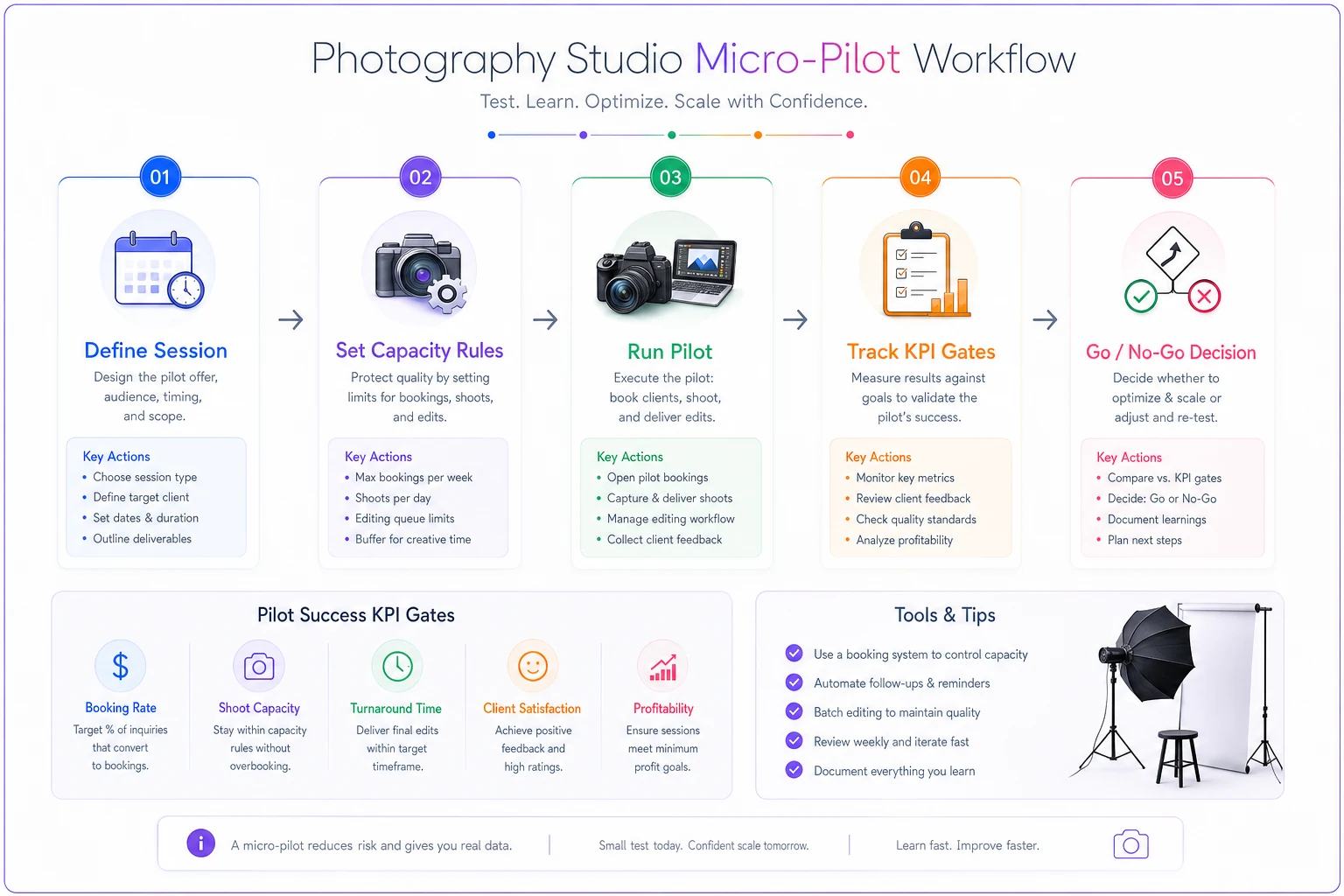
A simple visual like this helps teams follow the exact steps during a pilot.
KPI gates: the numbers that decide for you
The reason pilots turn into permanent messes is that nobody set the exit numbers in advance. So when results come in mediocre, the owner rationalizes. "It was a slow week." "The lighting setup will be faster next time." Those might be true, but if you didn't write the gate down beforehand, you're just protecting a decision you already emotionally made.
Set three tiers of gates and attach actions to each.
| KPI | Green (scale it) | Yellow (fix & retest) | Red (kill it) |
|---|---|---|---|
| Actual shoot time vs. planned | Within 10% | 10–25% over | 25%+ over consistently |
| Edit/retouch hours per session | At or under budget | 1.5x budget | 2x+ budget |
| Contribution margin per session | Hits target | Within 70% of target | Below breakeven |
| Reschedule/no-show rate | Normal for your studio | Slightly elevated | Clearly worse than core sessions |
| Deliverable rework rounds | 0–1 | 2 | 3+ |
The margin row is the one people fudge most. A new session type can feel exciting and still lose money per slot once you count edit time honestly. If you're not already pricing sessions off true slot cost, that's worth sorting out before you pilot anything — the method in pricing packages by slot cost, deliverables and perceived value gives you the per-slot number you plug into this gate.
The point of the table isn't to be rigid. It's to force the conversation before emotion gets involved. If three of five KPIs land yellow, you don't scale — you run a second, tighter pilot with one variable changed.
Protecting capacity: the rule that keeps the pilot from hurting your core business
This is the part studios skip and regret. A pilot should never pull slots from your proven, profitable sessions during a busy stretch.
-
Pilot sessions only fill otherwise-dead slots. Tuesday mornings, that awkward 2pm gap, the week after a holiday. If a pilot session can only happen by displacing a family session you'd have booked anyway, the pilot is lying to you about its real cost.
-
Cap editor load separately. A pilot that adds six hours to your retouching queue during wedding delivery season isn't free — it's delaying paying clients. Put a ceiling on pilot edit hours per week.
-
One shooter, one editor. Don't spread a pilot across your whole team. You want clean data and one person who actually learns the workflow.
Use dead-season slots (January or midweek mornings) to run pilots so you don't displace core bookings.
A typical example of this going wrong: a studio runs a "pet + owner" mini-session pilot during October, their busiest month. The shoots are fun and book fast. But the editor is already underwater with fall family sessions, so pet galleries go out 11 days late, two family clients complain their galleries slipped, and the owner spends the month stressed. The pilot "succeeded" on bookings and quietly damaged the core business. Dead slots in January would have told them the same thing about demand and delivery — without the collateral damage.
Sample pilot calendars
Two formats, depending on whether you're constrained by time or by volume.
Calendar A — Two-week, slot-capped pilot (good for mini sessions)
-
Week 0
Finalize template, time a practice run with a friend or model, confirm deliverable spec with your editor
-
Week 1
Open 4 bookings max, all in off-peak slots
-
Week 2
Open 4 more bookings max
-
Day after last shoot
Editor logs real hours, you log real shoot times
-
Day 16
Go/no-go review
Calendar B — Eight-session, volume-capped pilot (good for a bigger new offering like branding sessions)
-
Pre-pilot
One unpaid or discounted calibration shoot to time everything
-
Rolling
Accept bookings until 8 are confirmed, no more than 2 per week
-
Each session
Shooter logs actual time, editor logs actual hours, note any spec confusion
-
After session 8
Full review against KPI gates
The calibration shoot in Calendar B matters more than people think. Timing a brand-new session type live on a paying client is how you discover your "45-minute session" is actually 70 minutes — in front of someone who paid for 45.
Go/no-go decision rules
Keep the decision binary-ish and written down. When you hit your go/no-go date, you land in one of three places:
-
GO (scale) KPIs green or mostly green, capacity impact was contained. Now move it into your real booking system with proper pricing and a defined slot allocation. This is a process change, not a casual add — roll it out with actual change management so your team, your calendar, and your comms all update together. The change-management playbook for studios is the right next step here.
-
ITERATE (fix & retest) One or two KPIs in yellow with an obvious cause. Change exactly one variable — shorter session, tighter deliverable, different editor, higher price — and run a second micro-pilot. Changing three things at once means you'll never know what actually fixed it.
-
KILL Any red gate, or the capacity cost was clearly higher than the margin. Execute your rollback plan, honor in-progress bookings, and move on. Killing a bad session type is a win, not a failure — you found out at 4–8 sessions instead of 40.
The discipline is refusing a fourth option: "keep it limping along." Session types that sit in permanent "we kind of offer this" limbo are where margin quietly leaks. Either it earns a real slot or it's gone.
When this makes sense — and when it doesn't
Run a micro-pilot when:
-
The session type has a genuinely different workflow (new lighting, new deliverable, new location type)
-
You're unsure about edit time or true margin
-
It would compete with your core sessions for capacity if it took off
Skip the formal pilot when:
-
It's a trivial variation of something you already do well (a headshot client who also wants a second outfit isn't a new session type)
-
You've run essentially the same thing before and have real timing data
Who should NOT do this: a studio that's already behind on delivery for existing clients. If your current galleries are late, you don't have the capacity to test anything. Fix throughput first, then pilot. Adding a new session type on top of an overloaded editor just spreads the problem.
Tracking the pilot without creating busywork
You need three logs during the pilot, nothing fancier:
-
Time log planned vs. actual shoot time per session
-
Edit log budgeted vs. actual retouch hours per session
-
Issue log anything that confused the shooter, editor, or client
A spreadsheet works. What matters is that the person doing the work records reality the same day, not from memory a week later. Memory rounds everything in favor of the session type you're hoping succeeds.
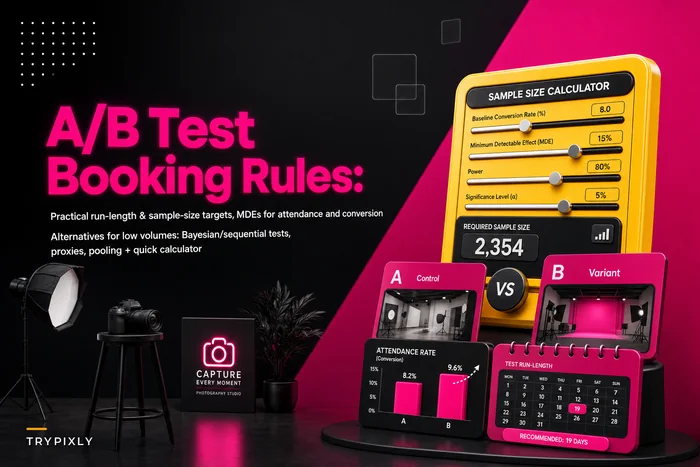
If you run a lot of these tests, the mechanics of sample sizes and run lengths matter — especially if you're also testing booking behavior like deposits or reminders alongside the new session type. The approach in A/B testing cancellation, deposit and reminder rules carries straight over to deciding how long to run a pilot before the numbers mean anything.
A quick real scenario
A two-photographer portrait studio wanted to add "generational" sessions — grandparents, parents, kids together, with a larger print product attached. Instead of launching it for fall, they ran an eight-session micro-pilot across a slow stretch in late winter, two per week max, one shooter, one editor.
What they found: the shoots themselves were fine, landing within about 10% of planned time. But editing ran close to 1.8x their budget because coordinating that many faces per frame meant far more selective retouching. At their initial price, contribution margin landed well under target — yellow on margin, yellow on edit hours.
So they iterated instead of scaling. They raised the price by roughly a third, trimmed the included final image count, and ran a second four-session pilot. That version cleared the margin gate cleanly, and edit time came down because the smaller deliverable meant fewer frames to perfect. Total cost of finding all this out: about twelve test sessions spread across a dead season, zero disruption to their core spring bookings.
Without the pilot, they'd have launched the first version at the first price into their busy fall, booked a dozen, and lost money on every one while their family galleries ran late.
New session types fail operationally far more often than they fail at marketing. People want them; the studio just can't deliver them profitably and on time at scale. A micro-pilot with a hard cap, real KPI gates, off-peak slots, and a go/no-go date on the calendar turns a risky launch into a cheap, contained experiment — one that gives you clean numbers before you ever commit real capacity.
Decide the exit rules before you open bookings. Protect your core sessions from the test. And let a bad result kill the idea early, because the whole value of a pilot is finding out at 8 sessions instead of 80.
Ready to elevate your studio’s workflow?
Join 500+ studios using TryPixly to save time, reduce scheduling conflicts, and deliver exceptional client experiences.